 | |
| COLOUR FORM |
Everything
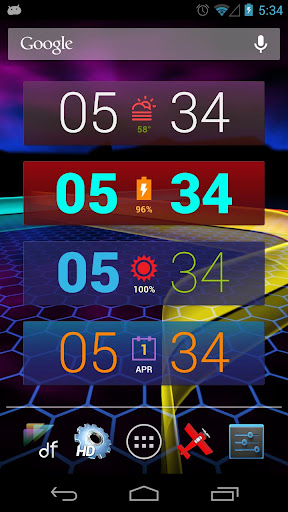
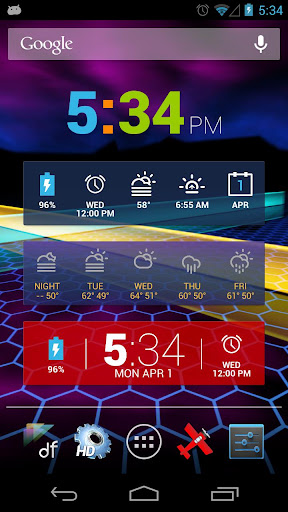
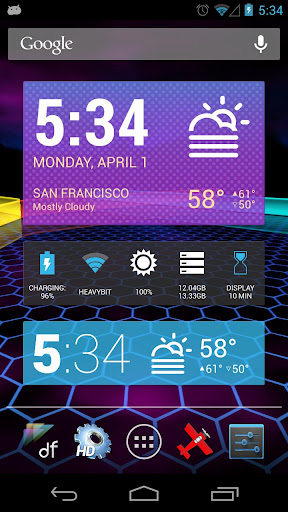
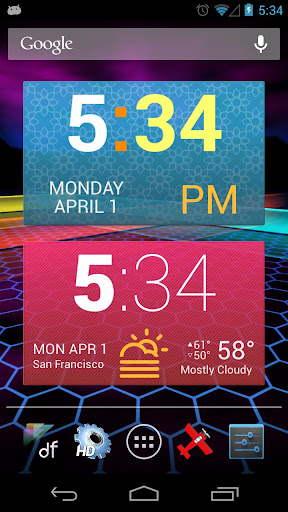
is colorable: icons, text, separators, background… you can even color
each part of the clock! Backgrounds are layered with settings for color,
opacity, tiles, and textures – or just do no background at all.
This light-weight pack (only 2MB) focuses on a simpler, more minimal, flat UI design while allowing more flexibility and customization than ever before.
What’s new?
- All of it!
- 58 more widgets for phones & tablets
- ICS / JB style
- tons of color settings w/ full color range
- background opacity, tiles, & textures
- new Quick Settings & Indicators
- more Roboto fonts including the 4.2 hipster clock
How do I install it?
Just install from the Play Store. HD Widgets will look for it automatically.
How do I use it?
Colourform widgets will be in the top menu.
What sizes are available?
(2) 1×1
(5) 2×1
(36) 4×1
(12) 4×2
(1) 6×1
(2) 6×2 (tablets)
What’s in this version:
This light-weight pack (only 2MB) focuses on a simpler, more minimal, flat UI design while allowing more flexibility and customization than ever before.
What’s new?
- All of it!
- 58 more widgets for phones & tablets
- ICS / JB style
- tons of color settings w/ full color range
- background opacity, tiles, & textures
- new Quick Settings & Indicators
- more Roboto fonts including the 4.2 hipster clock
How do I install it?
Just install from the Play Store. HD Widgets will look for it automatically.
How do I use it?
Colourform widgets will be in the top menu.
What sizes are available?
(2) 1×1
(5) 2×1
(36) 4×1
(12) 4×2
(1) 6×1
(2) 6×2 (tablets)
What’s in this version:
- another fix for clocks*
- removed permissions
- reduced apk size
- added permissions
- min sdk 9


Aucun commentaire:
Enregistrer un commentaire